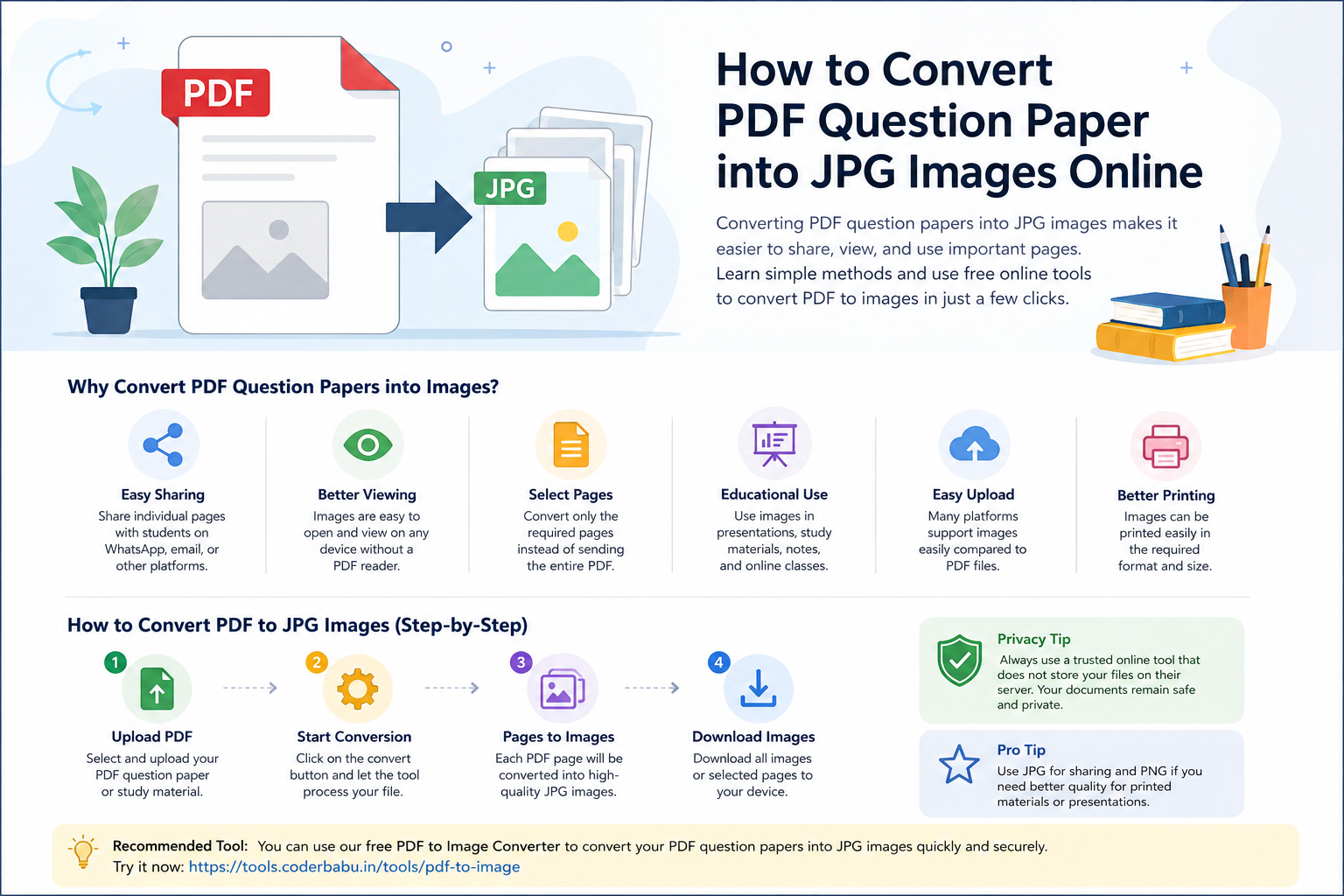
How to Convert a PDF Question Paper into JPG Images Online
PDF files are one of the most common formats used for sharing question papers, sample papers, study material, assignments, and exam-related documents. However, there are situations where you may need to convert a PDF question paper into individual JPG or PNG images for easier sharing, viewing, printing, or uploading.
For example, teachers may want to share individual question-paper pages with students through messaging applications, while students may want to save specific pages of a study document as images. In these situations, a PDF to Image Converter can be a convenient solution.
What Is a PDF to Image Converter?
A PDF to Image Converter is an online tool that converts the pages of a PDF document into image files such as JPG or PNG. Each page of the PDF can be converted into a separate image.
For example, if you have a PDF containing 10 pages, the converter can generate 10 individual images, with each image representing one page of the original document.
This can be particularly useful for question papers, exam notes, study material, assignments, and other educational documents.
Why Convert a PDF Question Paper into Images?
There are several reasons why students, teachers, coaching institutes, and educational organizations may prefer images instead of PDF files.
1. Easy Sharing
Images can be easily shared through messaging applications, email, websites, and other communication platforms. Instead of sending an entire PDF, you can share only the required question-paper page.
2. Share Individual Pages
If a PDF contains many pages but you only need to share one particular question or section, converting the PDF into images allows you to select and share the required page.
3. Convenient Viewing
Images can be opened directly on most smartphones, tablets, and computers without requiring a dedicated PDF reader. This can make individual pages convenient to view.
4. Creating Educational Content
Teachers and educators can use converted images while preparing presentations, online lessons, study posts, or other educational resources.
5. Easier Uploading
Some platforms allow image uploads but do not support PDF files. Converting the required PDF pages into JPG or PNG images can make the content easier to upload.
How to Convert PDF to JPG Online
Converting a PDF into images does not have to be complicated. You can use an online PDF-to-Image tool to complete the process in a few simple steps.
Step 1: Prepare Your PDF File
First, keep the PDF question paper, sample paper, study material, or other document that you want to convert ready on your computer or mobile device.
Step 2: Open a PDF to Image Converter
Open a reliable online PDF-to-Image conversion tool. For example, you can use the Free PDF to Image Converter available on utilitynow.in Tools.
Step 3: Upload the PDF
Select your PDF file using the upload option provided by the tool. Depending on the tool, you may be able to process a PDF containing multiple pages.
Step 4: Convert the PDF Pages
Start the conversion process. The PDF pages are converted into image files such as JPG or PNG, depending on the available options.
Step 5: Download the Images
Once the conversion is completed, download the generated images and use them for sharing, uploading, printing, or educational purposes.
PDF to JPG for Students
Students frequently receive study material and question papers in PDF format. Converting selected pages into images can make it easier to keep important questions or notes readily accessible on a smartphone.
For example, suppose a student has a 50-page PDF containing previous-year questions but wants to save only the pages containing mathematics questions. Converting the PDF pages into images can make it easier to organize and share those pages.
PDF to JPG for Teachers and Coaching Institutes
Teachers, tutors, and coaching institutes often prepare question papers, assignments, practice sets, and study material in PDF format.
Converting these documents into images can be useful when:
- Sharing individual questions with students
- Preparing educational presentations
- Creating social media educational posts
- Sharing question-paper pages through messaging applications
- Uploading pages to platforms that support image files
- Creating visual study material
Is It Safe to Convert a PDF Online?
File privacy is an important consideration when using any online document conversion service. Before uploading a sensitive document, users should understand how the service processes uploaded files and whether files are stored on a server.
For educational documents that contain personal information, examination credentials, or other confidential information, it is always advisable to use a conversion service with a clear privacy approach.
The CoderBabu PDF-to-Image tool is designed to process PDF files directly in the browser, which can help reduce the need to upload files to a remote server for conversion.
However, users should always review the current privacy information and avoid uploading highly sensitive documents to any online service unless they are comfortable with its processing method.
PDF vs JPG: Which Format Should You Use?
| Feature | JPG/Image | |
|---|---|---|
| Multiple pages | Excellent | Each page is usually a separate image |
| Easy document sharing | Excellent | Good |
| Individual page sharing | Less convenient | Very convenient |
| Image-based content | Good | Excellent |
| Editing as an image | Limited | Convenient for image-based workflows |
If your primary requirement is to preserve a complete document with multiple pages, PDF is generally more suitable. If you need individual pages as pictures, JPG or PNG can be more convenient.
Benefits of Using an Online PDF to Image Tool
- No need to install desktop software
- Can be accessed from a web browser
- Useful on computers and compatible mobile devices
- Convenient for converting individual PDF pages into images
- Useful for educational and office documents
- Can save time compared with manually taking screenshots of every page
PDF to Image vs Screenshot
A common alternative to PDF conversion is taking screenshots of PDF pages. While screenshots may work for one or two pages, they can become inconvenient when a document contains many pages.
A dedicated PDF-to-Image converter can automate the conversion process and generate image files from the PDF pages. This can be particularly helpful when working with long question papers, assignments, or study documents.
Common Uses of PDF to Image Conversion
PDF-to-image conversion can be useful in many educational and professional situations.
- Converting question papers into images
- Sharing individual pages with students
- Converting study notes into images
- Preparing presentation content
- Creating educational social media posts
- Sharing selected pages through messaging applications
- Preparing visual learning material
- Uploading PDF pages to image-supported platforms
Frequently Asked Questions
Can I convert a PDF question paper to JPG?
Yes. A PDF-to-Image converter can convert the pages of a question paper PDF into JPG images. Each PDF page can be represented as an individual image.
Can I convert a multi-page PDF into multiple images?
Yes. Multi-page PDFs can generally be converted into separate image files, with each PDF page represented as an individual image.
Do I need to install software to convert PDF to JPG?
No. Online PDF-to-Image tools can be accessed through a web browser, so you may not need to install additional desktop software.
Can students use a PDF-to-Image converter?
Yes. Students can use PDF-to-Image conversion for question papers, study material, notes, assignments, and other educational documents.
Can teachers convert question papers into images?
Yes. Teachers and coaching institutes can convert PDF question papers into images when they need to share individual pages or use the content in image-based educational material.
Is PDF or JPG better for a question paper?
It depends on the purpose. PDF is generally better for distributing a complete question paper, while JPG or PNG can be more convenient when individual pages need to be shared or used as images.
Conclusion
Converting PDF question papers and study material into images can be useful for students, teachers, tutors, and coaching institutes. Images make it easier to share individual pages, create educational content, and upload document pages to platforms that support image formats.
If you need a quick way to convert PDF pages into images, you can try the free PDF to Image Converter from CoderBabu Tools. It can be useful when you need to turn PDF-based question papers, notes, or study material into image files.
For best results, always use documents that you have permission to convert, share, or distribute, especially when working with copyrighted educational material or examination papers.