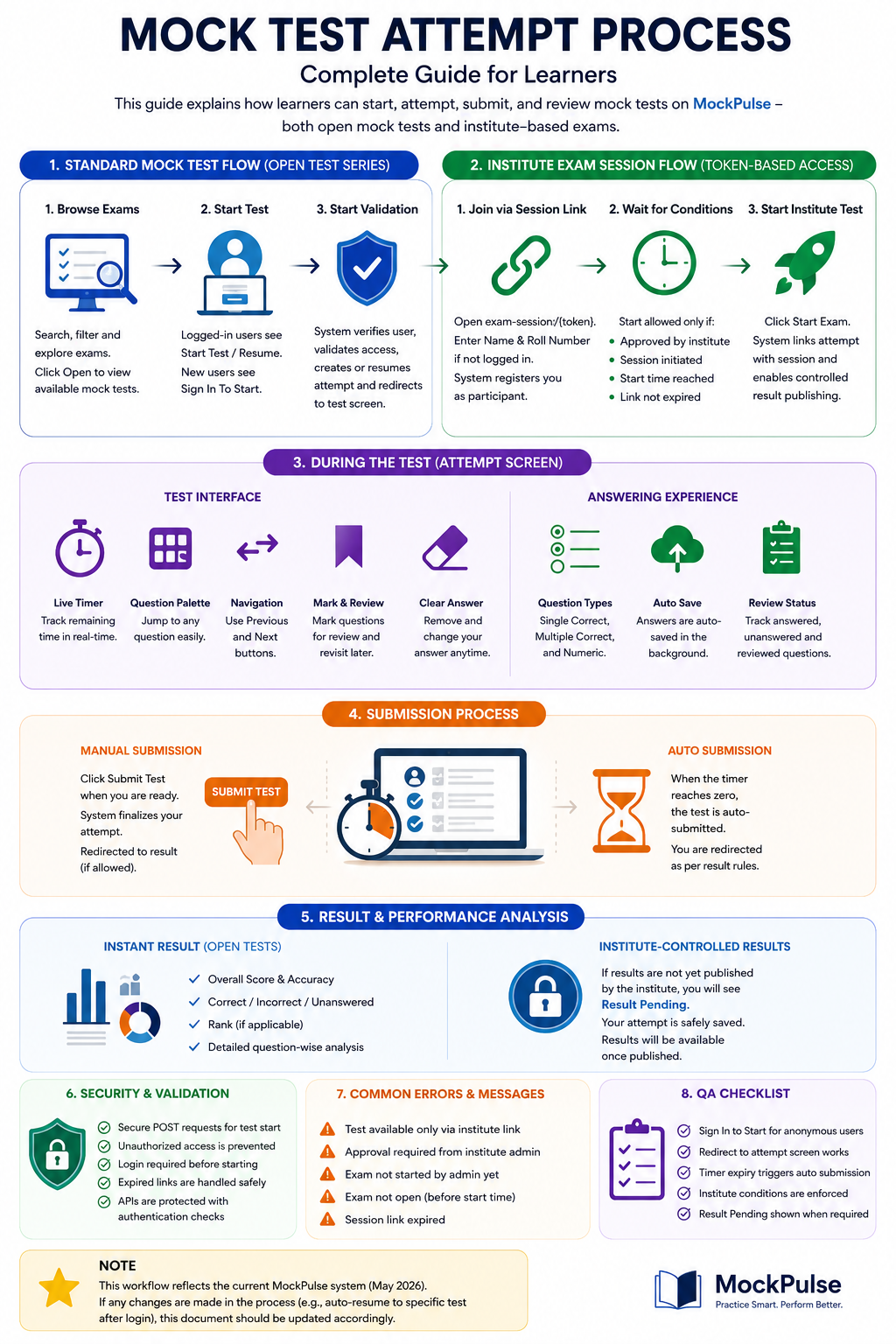
🧭 1. Standard Mock Test Flow (Open Test Series)
🔍 Step 1: Browse Exams
- Users visit the exam listing page.
- Search and filter options help find relevant exams.
- Click Open to view available mock tests.
▶️ Step 2: Start Test
- Logged-in users see:
- Start Test or Resume Attempt
- Non-logged-in users see:
- Sign In To Start
- Redirected to login, then back to test page.
🔐 Step 3: Start Validation
- System verifies user identity.
- Prevents unauthorized access (especially institute-only tests).
- Creates a new attempt or resumes existing one.
- Redirects to test interface.
🏫 2. Institute Exam Session Flow (Token-Based Access)
🔗 Step 1: Join via Session Link
- Access exam using secure URL:
exam-session/{token} - If not logged in:
- Enter Name & Roll Number
- System registers participant
⏳ Step 2: Wait for Approval & Conditions
User can start test only if:
- Approved by institute admin
- Exam session is started
- Scheduled time is reached
- Link is valid (not expired)
➡️ If not, page auto-refreshes with status updates.
🚀 Step 3: Start Institute Test
- Click Start Exam
- System links attempt with session
- Enables controlled result publishing
🧑💻 3. During the Test (Attempt Screen Features)
🎯 User Interface
- Live countdown timer
- Question palette for quick navigation
- Previous / Next buttons
- Mark for Review & Clear Answer options
✍️ Answering System
- Supports:
- Single Correct
- Multiple Correct
- Numeric Answer
- Auto-save via background API
- Real-time answer tracking
✅ 4. Test Submission Process
🖱️ Manual Submission
- Click Submit Test
- System finalizes attempt
- Redirects to result/review page (if allowed)
⏱️ Auto Submission
- Timer reaches zero → auto-submit
- Redirect based on result visibility rules
📊 5. Result & Performance Analysis
📈 Instant Result (Open Tests)
- Score & accuracy
- Correct / Incorrect / Unanswered
- Rank (if applicable)
- Detailed question-wise analysis
⏳ Institute-Controlled Results
- Shows Result Pending page
- Results published later by institute admin
🛡️ 6. System Security & Validation
- Test start uses secure POST requests
- Unauthorized access is blocked
- Login required before attempt
- Expired session links handled safely
- API calls protected with authentication checks
⚠️ 7. Common Errors & Messages
- ❌ Test available only via institute link
- ❌ Approval required from institute admin
- ❌ Exam not started yet
- ❌ Exam not open (before start time)
- ❌ Session link expired
🧪 8. QA Checklist (System Validation)
- Login required before starting test
- Start redirects correctly to attempt screen
- Timer auto-submits on expiry
- Institute conditions enforced properly
- Result visibility works as per rules